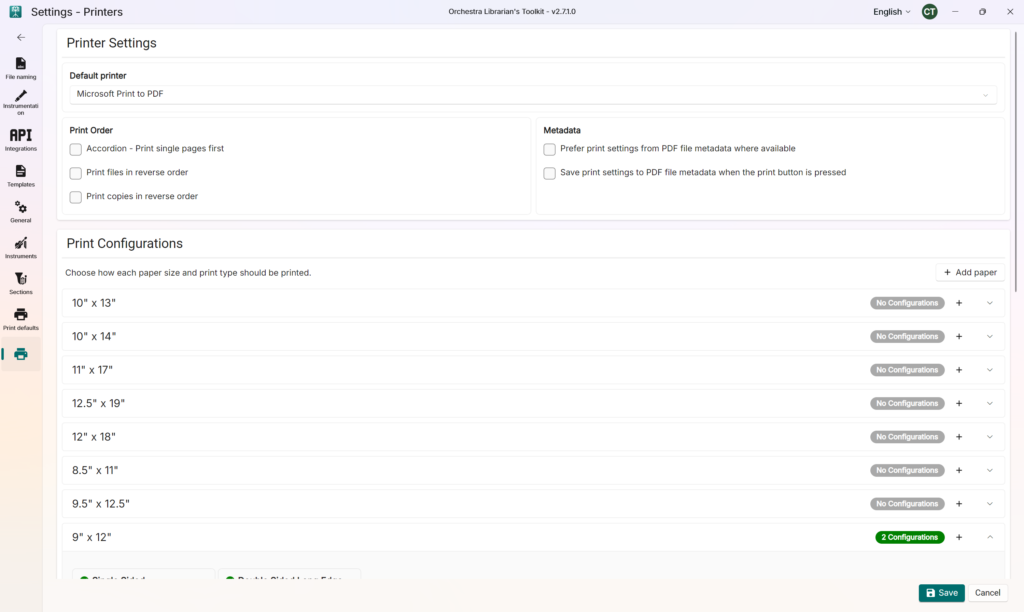
Choose your printer from the Default printer dropdown
In the Print Configurations card, find the paper sizes you wish to use.
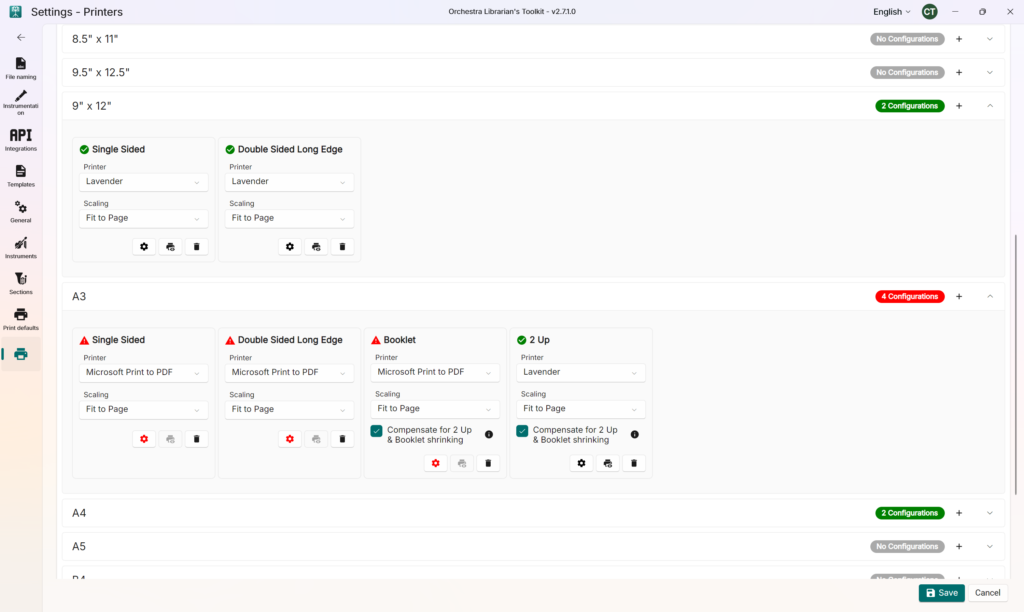
For each paper size, use the + button to add a print configuration for a particular fold type e.g. Booklet or Double Sided Long Edge etc.
Choose the printer you wish to use for each configuration if it is different from your default configuration
Choose your scaling mode – you can choose from Fit to Page (recommended), Actual Size or Shrink Oversized Pages
For each print configuration, use the Settings button to open your printer’s driver. In the print driver, set up your printer to match the chosen paper and printing type. (This is a manual process – but it only needs to happen once and it enables full use of your printer’s multifunction capability such as tray selection, folding, etc.)
Use the Test print button to test each configuration