Welcome to Orchestra Librarian’s Toolkit (OLTK). This guide is for the Windows standalone installer. You may also install OLTK from the Microsoft Store by following the steps here.
Please follow the steps below to get started. If you have any questions along the way, please do reach out to support at support@oltoolkit.com
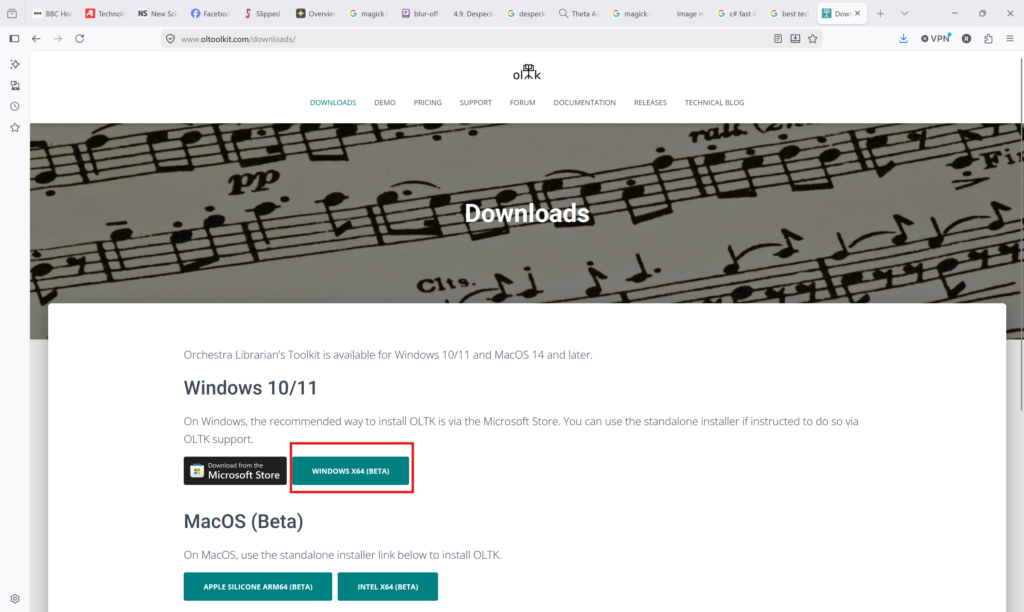
- Navigate to the Downloads page
- Choose the Windows x64 installer
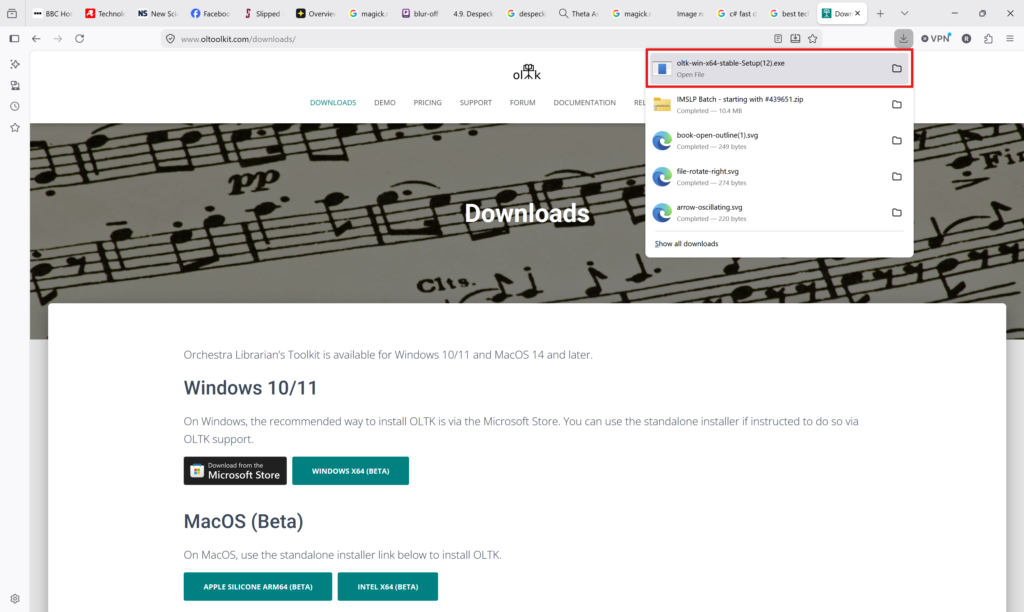
- Once the installer has downloaded, open the installer
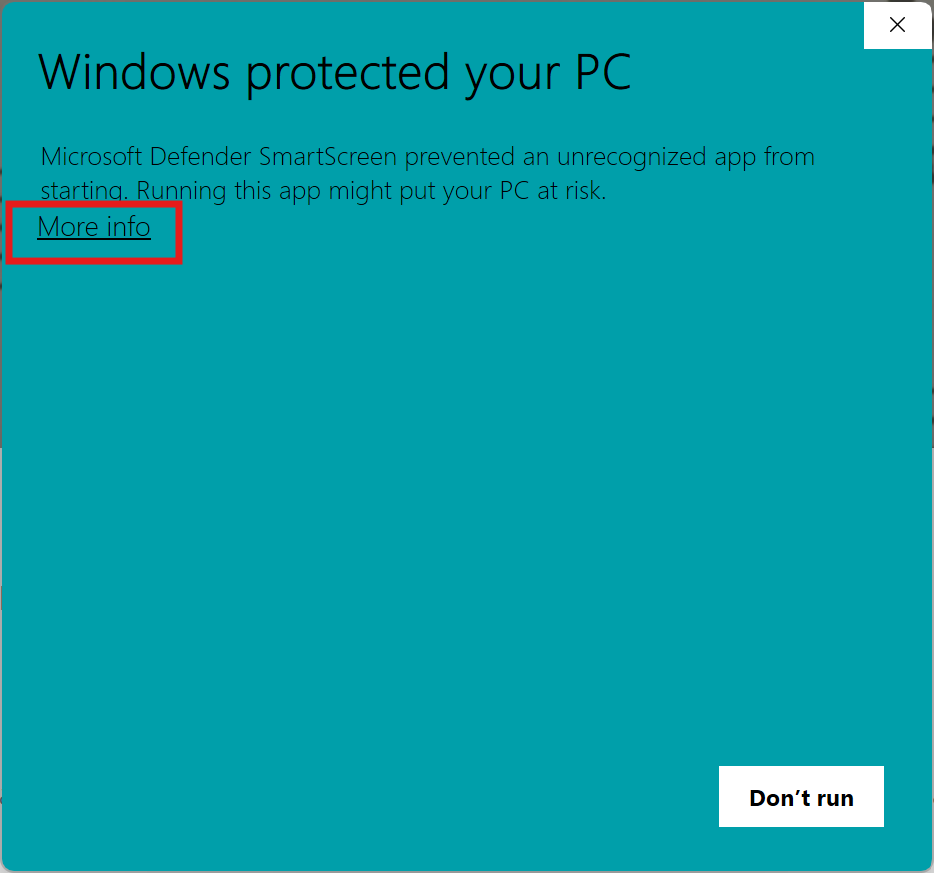
- You may be shown the following screen
- Press More info
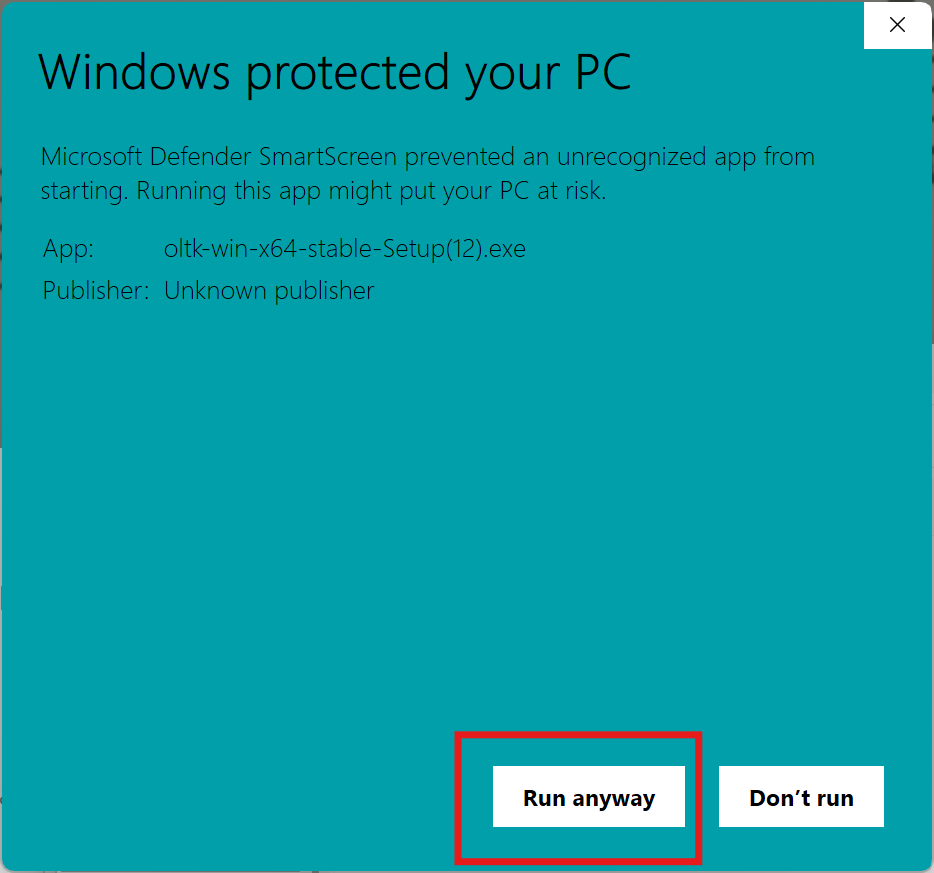
- Then press Run anyway
- Orchestra Librarian’s Toolkit will now install
- Orchestra Librarian’s Toolkit will launch as soon as the installer has finished
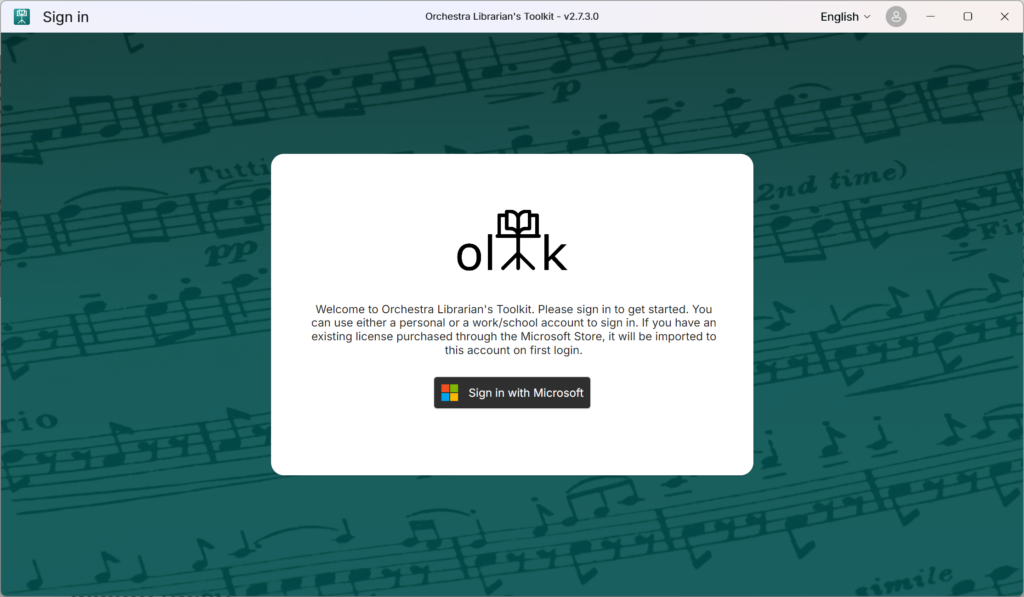
- Next, follow the steps in the Creating your OLTK account help article to get set up with an account and subscription.