When using custom paper sizes, Ricoh printers can sometimes misreport the size of the ‘printable area’ on the paper to OLTK. We have found that this can be corrected in many instances by using this alternative procedure for defining the custom paper size for your Ricoh.
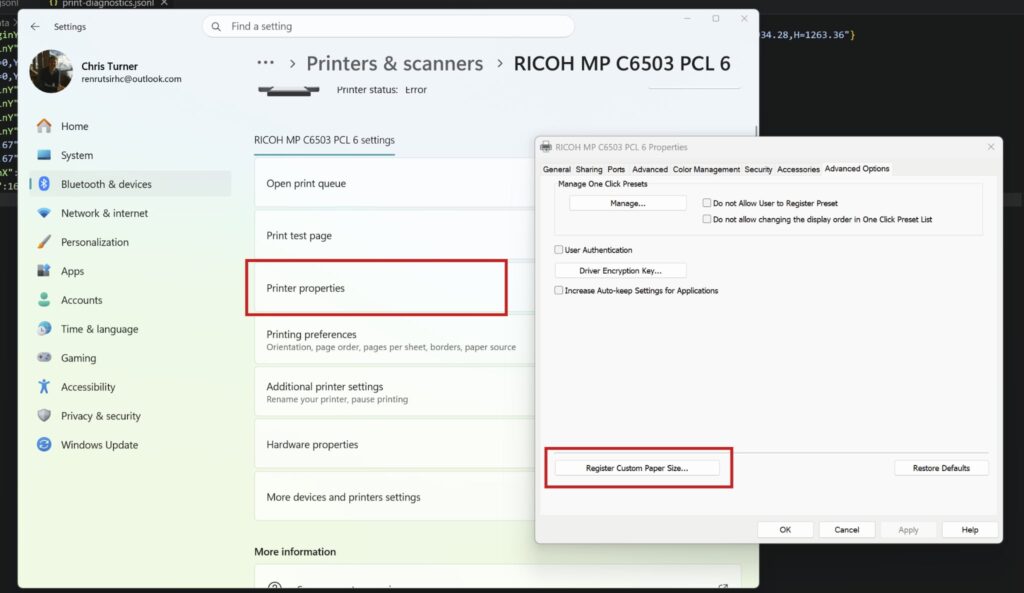
- Open Settings and navigate to Bluetooth & devices > Printers & scanners
- Locate your Ricoh printer and navigate to it
- Press printer properties
- On the Advanced Options tab, press Register Customer Paper Size…
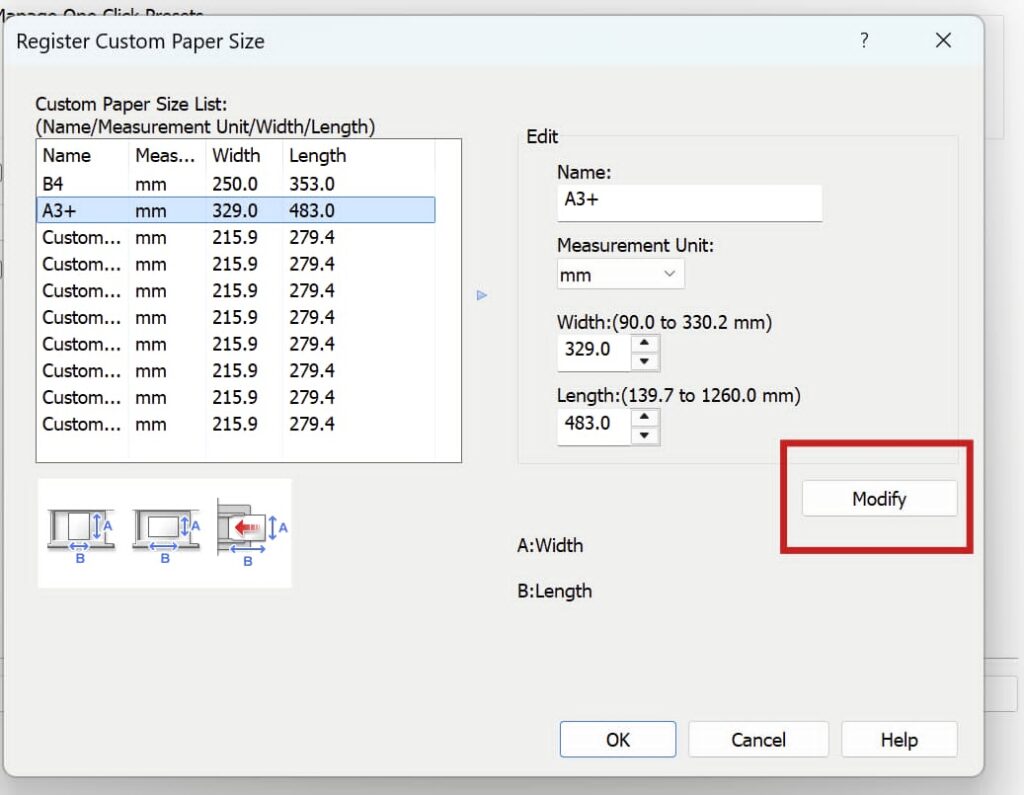
- Once in the custom paper size window, choose a Custom paper size slot and edit it to your requirements for size and Name
- Then press Modify
- Press OK
- Once you have done this, you can make use of this new custom paper size from your OLTK driver settings as you would normally