Available from OLTK 1.2.0 onwards
Thumbnails View | Booklets View
To delete pages:
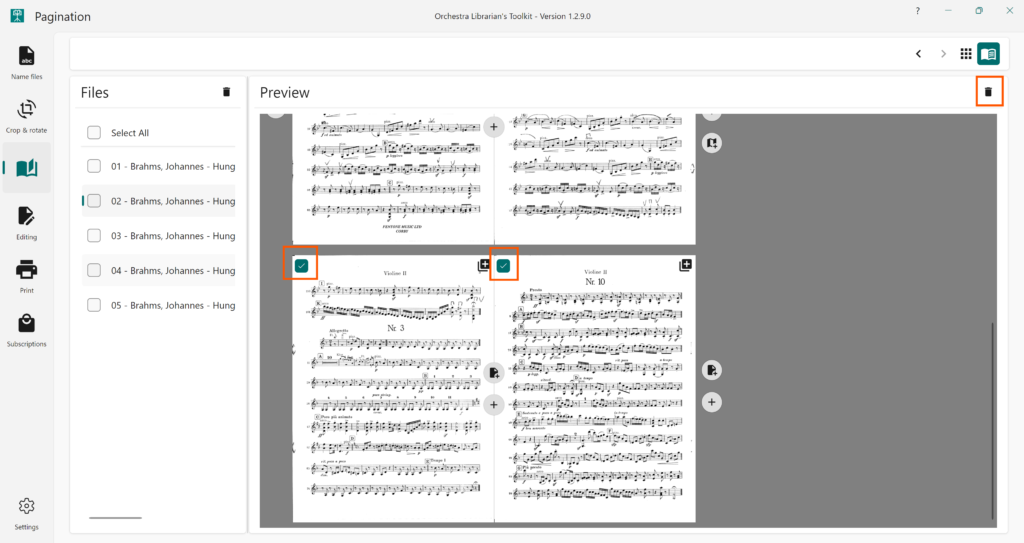
- Select the pages you would like to delete using the checkbox in the top left-hand corner of each page.
- Press the Delete button (trash can icon) at the top right of the preview panel.
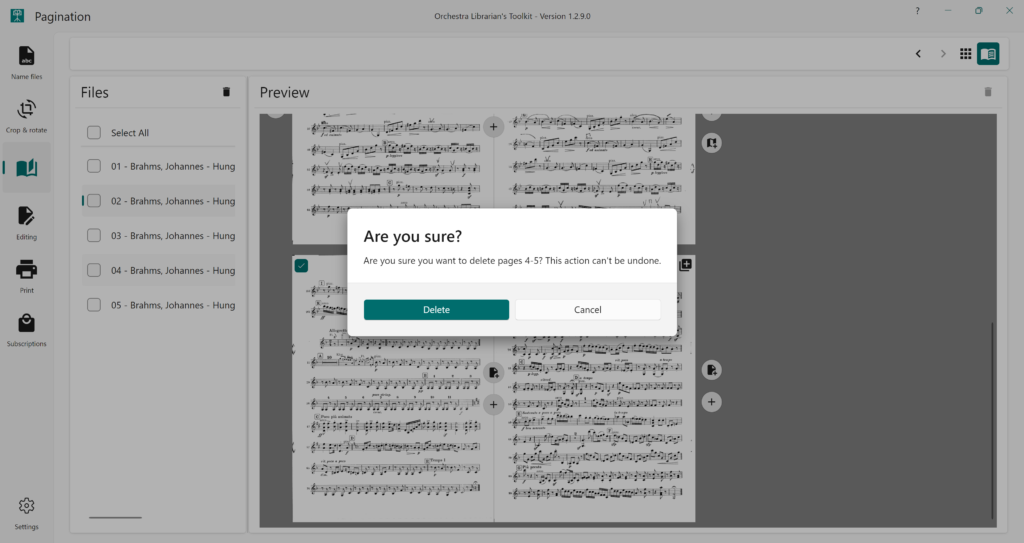
- You will be prompted to confirm if you would like to delete the pages
- Press Delete in the confirmation popup